Avron
English EN

How Avron works

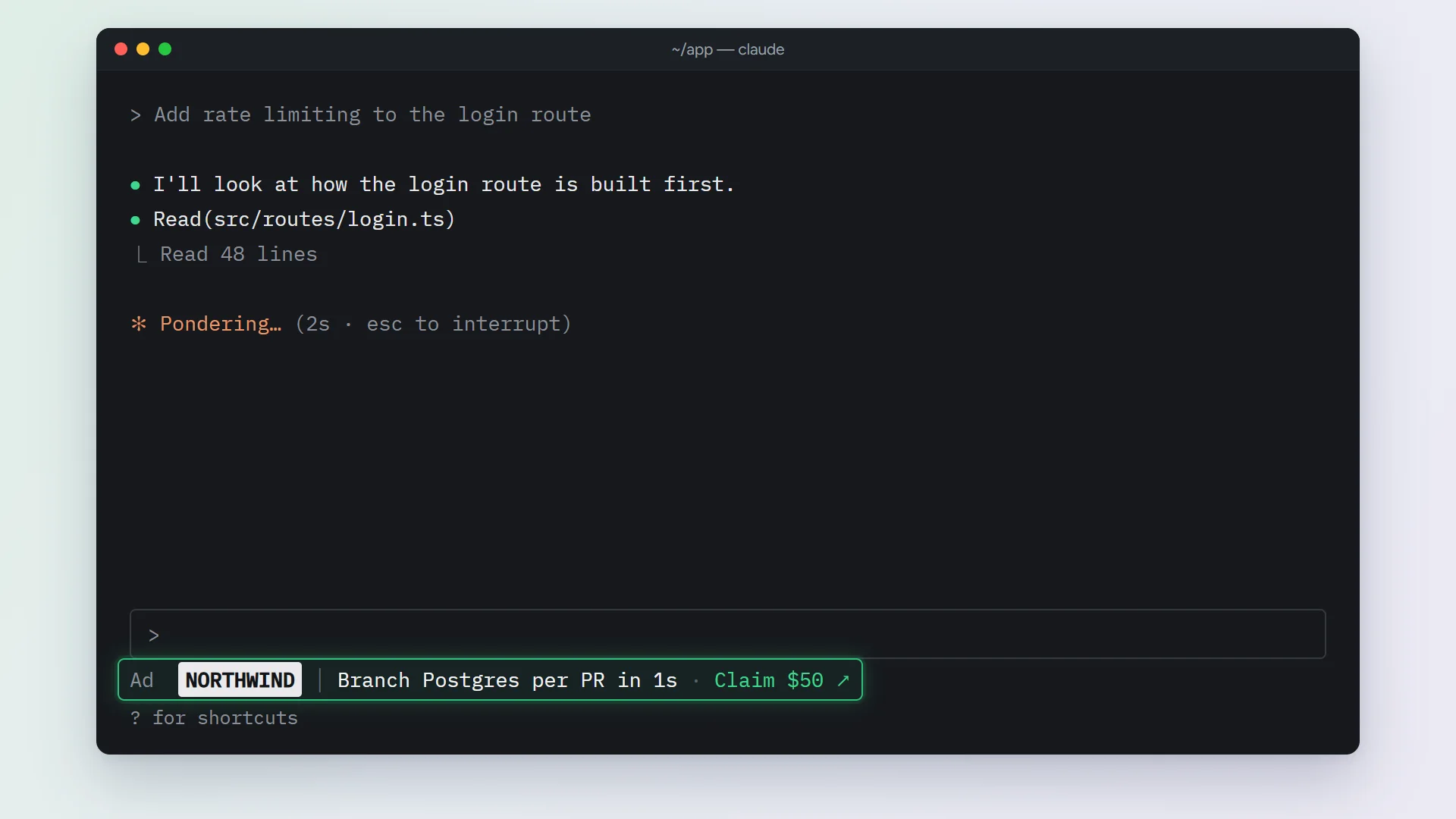
Avron shows one line while your AI agent is thinking and removes it when the answer arrives. Scroll down to follow one turn.

claude

>

Thinking… 0.0s

Moved token verification into auth/jwt.ts and updated the middleware.

>

Ad NORTHWIND │ Branch Postgres per PR in 1s · Claim $50 ↗

~/app main ctx 12%

Waiting for the agent Scroll to run one turn.

0 s · You send a prompt
Your screen looks exactly as it always does.
Where the line shows

Eleven AI coding environments, each in the place you already look.

In the Claude Code status line, right under the input box. Clears the moment the answer arrives.

Example video drawn to match the real placement in each tool. The sponsor is made up.

  • Claude Code

    Terminal

    In the Claude Code status line

  • GitHub Copilot

    Terminal

    Under the Copilot CLI input

  • Cursor

    Editor status bar

    In the Cursor status bar, with the Avron extension

  • Codex CLI

    Editor status bar

    In the VS Code or Cursor status bar while Codex works

  • Antigravity

    Terminal

    Under the Antigravity CLI status line

  • OpenCode

    Terminal

    At the bottom of the OpenCode screen

  • Orca

    App status bar

    In the Orca status bar, for the agents you run in Orca (Avron plugin)

Install Avron

Needs Node.js 20 or newer. Remove it any time with npx @wbcode/avron uninstall.

$ npx @wbcode/avron install
Get started